📐 Collapsed Menus
Need more working space on smaller screens?
You can now collapse the sidebar to free up space.
A new collapse/expand icon next to the logo makes switching easy, with tooltips for clarity and a smooth transition animation.
🎨 Training Detail Redesign
Creating or editing training content still too limited?
The redesigned Training Detail view gives you a clear structure for editing descriptions, skills, compliance rules, planning data, documents, coordinators and more.
Switch easily between edit mode and view mode for a cleaner workflow.

⭐ Favorite Teams & Units
Too many teams or units to navigate?
Users with more than five teams or units can now mark their favorites for quicker access right from the sidebar.
📅 Entry & Leaving Dates
Need accurate employee timelines?
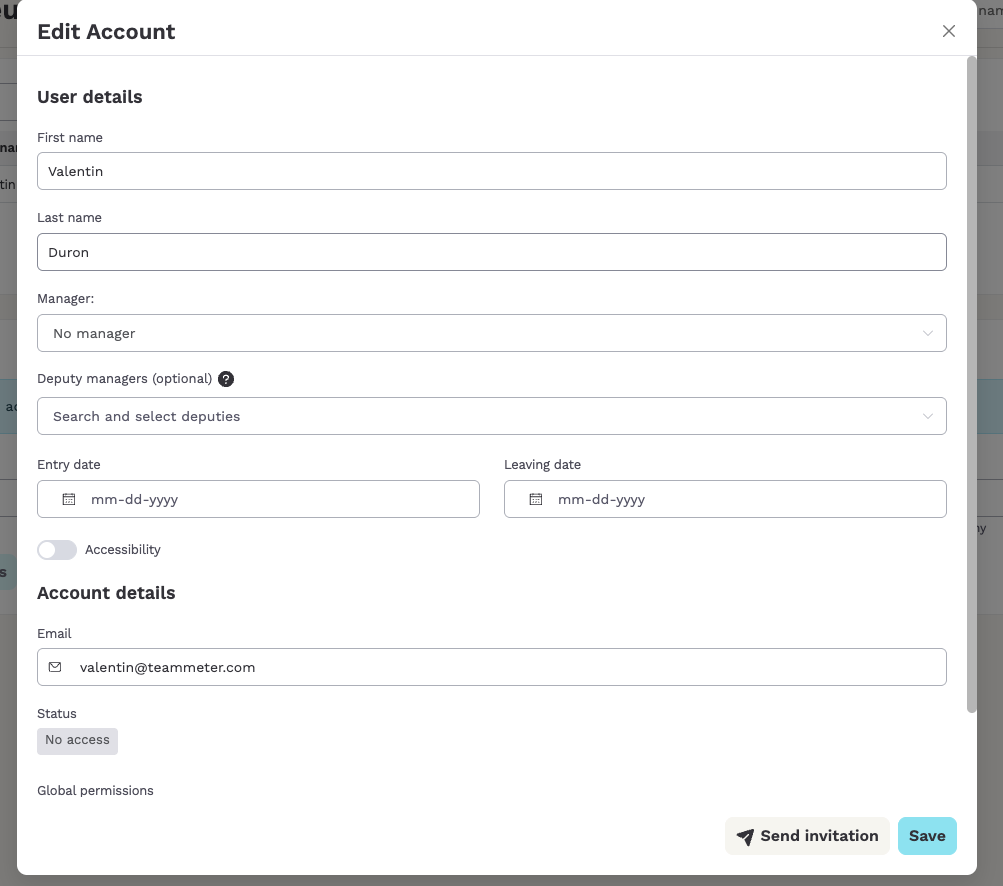
Entry and leaving dates are now part of every employee profile.
They sync automatically with Personio or Azure AD imports, and archived users get their leaving date set automatically.
🔒 Skill Visibility in the Profile
Want control over which skills colleagues see?
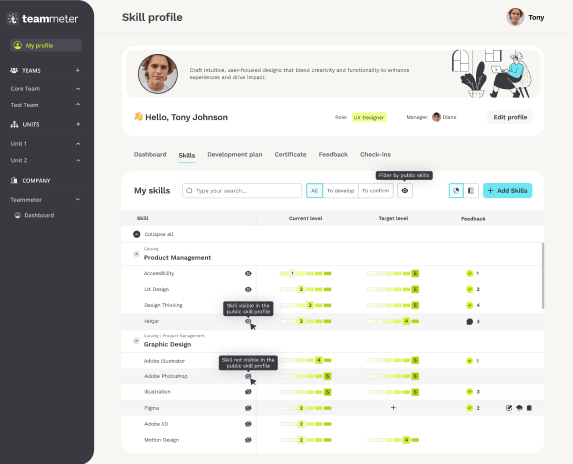
Employees can now choose which skills appear on their public Skill Profile.
Default visibility follows the skill type, and a simple public/private switch lets users adjust their profile anytime.