How to use the skill catalog?
📘 Manage the Skill Catalog
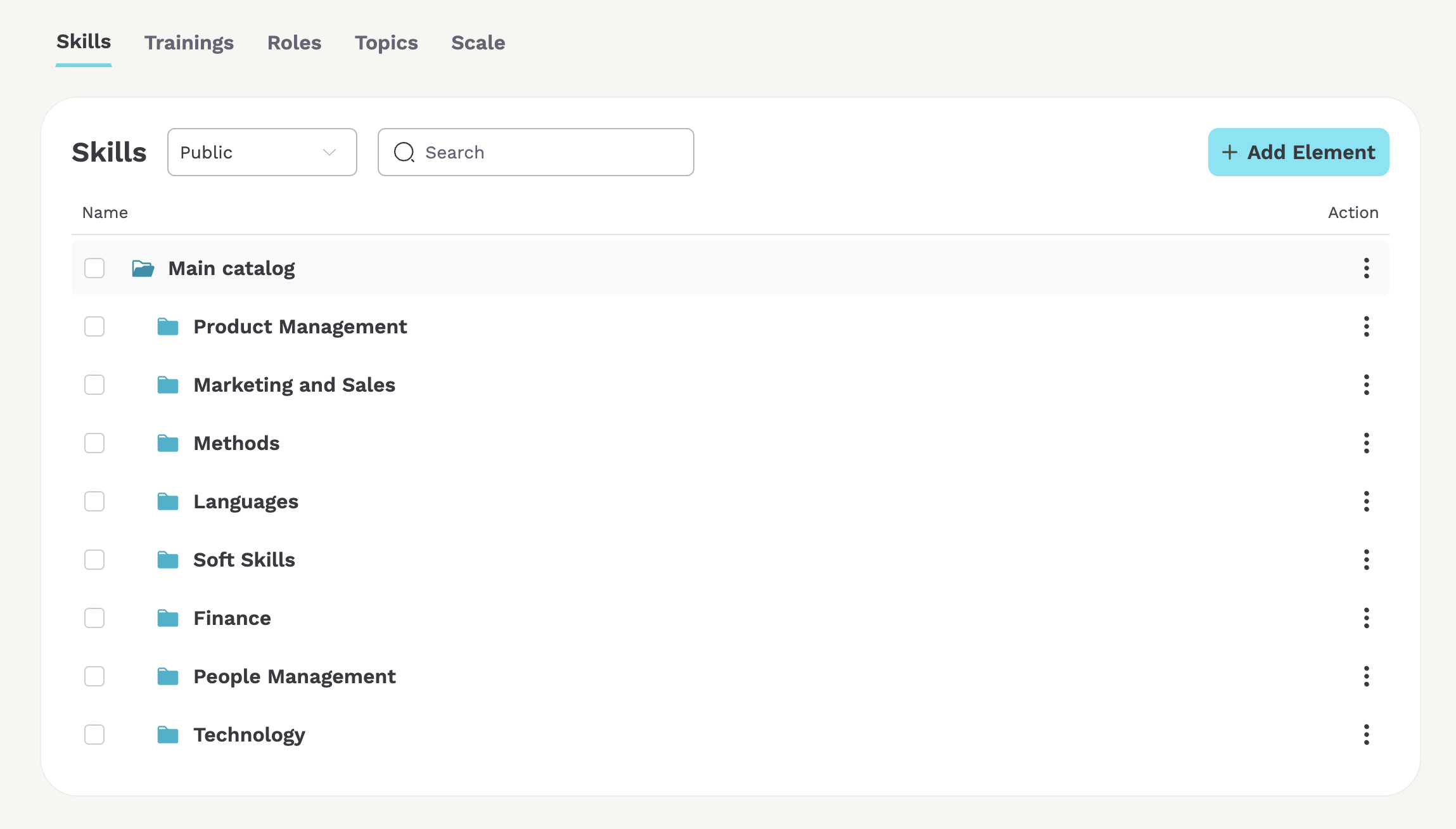
The Skill Catalog is a powerful feature in Teammeter that helps you organize, manage, and align skills with your organization’s structure and functions. This guide walks you through everything you need to know, including the AI-powered features that automate much of the process.
🧩 What is the Skill Catalog?
The Skill Catalog represents the full range of skills within your organization. It evolves alongside your roles, teams, and functions, providing a clear, centralized way to define and track capabilities across your workforce.
🎯 What is a Skill?
A skill is a distinct, nameable capability or area of expertise that a person can hold and demonstrate at varying levels of proficiency.
Skills are:
- Methods and frameworks
- Techniques and crafts
- Soft skills
- Tools and platforms
- Languages
What isn’t a skill:
- A business domain
- Certificates — this is a different concept in Teammeter
- Personality traits
- Job tasks, like reporting or data entry — instead, name the underlying capability (financial reporting, for example)
- Deliverables
- Working conditions, like travel readiness or shift work
Each skill in Teammeter is defined by a unique name, since a skill isn’t always shown together with its category. You can also define multiple synonyms per skill — different ways of writing the same skill. Skill synonyms are unique too.
🔐 Public and Private Skills
Skills in the catalog are either public or private.
- Public skills are visible to all employees. They form the shared skill taxonomy of the company and are the skills employees can browse, add to their own profile, or add to a skill matrix.
- Private skills belong to an individual and aren’t relevant to the company as a whole, so they stay out of the shared catalog.
Employees browse public skills to build their profile or populate a skill matrix — keeping the public catalog clean and well-organized directly affects how easily they can find and select the right skills.
🏷️ Skill Types
Skill types classify what kind of skill something is, independent of its category:
- Hard skills
- Soft skills
- Languages
You can also define custom skill types if these three don’t cover your needs.
🚀 Getting Started: Create Roles First
To begin building your Skill Catalog, we recommend starting with roles that match the job descriptions in your organization. Defining roles first helps you:
- Structure your catalog logically
- Identify relevant skills by function
- Align skill tracking with your organizational needs
➕ How to Add a Role
- Click the Add button.
- Enter the role name.
- Teammeter’s AI will suggest relevant skills through autocompletion.
- Suggested skills are automatically sorted into appropriate categories.
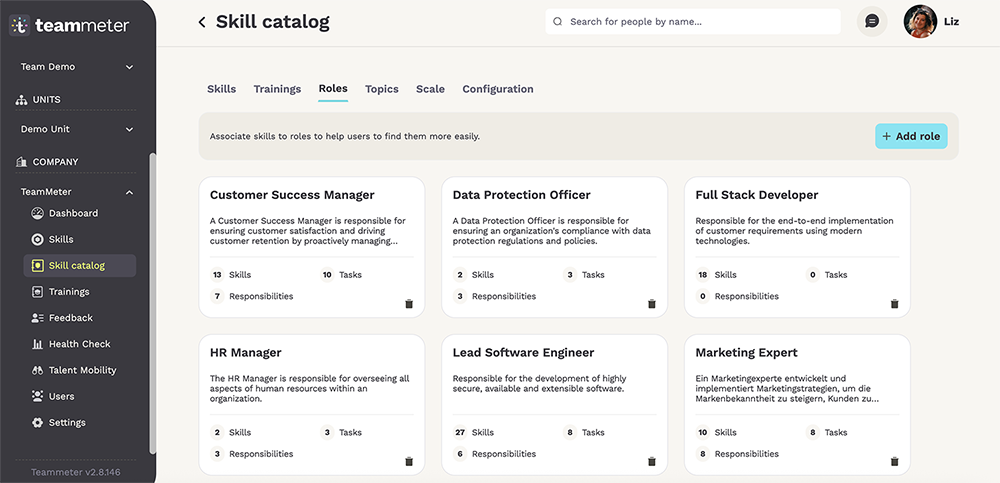
You can also add custom skills manually at any time.
🛠 Managing Skills in the Catalog
You have full control over how skills are added, edited, and organized.
✏️ Add or Edit Skills
- Click “Add Skill” to create a new one.
- Select an existing skill to edit its details.

🔄 Organize Your Skills
- Move, merge, or delete a skill using the menu at the bottom of the screen after selecting it.
- Group skills into custom categories based on your company’s structure or industry.
🕵️ Skill Review Process
As an admin, you control whether users are allowed to add new skills to the catalog themselves.
If enabled, new skills go through a review step before they’re visible to everyone:
- A user adds a skill that doesn’t exist yet.
- The skill is created with status REVIEW.
- It stays hidden from other employees until an admin reviews and approves it.
Turn this on if you want to keep control over what enters the public catalog; leave it off if you’d rather let the catalog grow freely from user input.
🔗 Skill Relationships
Relationships connect skills to each other, helping employees:
- Complete their skill profile with related skills
- Understand what they need to learn next
- Define roles and skill sets at a higher, more abstract level
There’s no need to define many relationships between two skills — only the most meaningful one has to be kept.
🧭 Relationship Types
| Relationship | Meaning | Example |
|---|---|---|
| Is a specialization of | The related skill is a broader category this skill belongs to | “Vue.js” is a specialization of “JavaScript frameworks” |
| Is a generalization of | Inverse of specialization of — this skill is the broader category | “JavaScript frameworks” is a generalization of “Vue.js” |
| Contains | This skill includes the related skill as a component | “Vue.js” contains “Vue Router” |
| Is part of | Inverse of contains — this skill is a component of the related skill | “Vue Router” is part of “Vue.js” |
| Has similarities with | Skills where existing knowledge transfers, scored 10%–90% based on syntax, concepts, workflows, and mental models | “Vue.js” has similarities with “Angular” (75%), “React” (70%) |
| Is a prerequisite for | This skill must be learned before the related skill can be effectively learned or used | — |
🧬 Skill Transfer Score
Some skills are related closely enough that mastering one gives you a head start on the other. Teammeter captures this with a transfer score: a value that reflects how well proficiency in one skill translates into practical ability in another. A high transfer score means both things are true: the person can perform real tasks in the new skill almost right away, and the underlying concepts, methods, and structures largely overlap between the two.
Transfer scores work in both directions between two related skills, though the score doesn’t have to be the same each way, since transfer isn’t always equally strong in both directions.
How to estimate the transfer score:
- 0.85–1.00: near-equivalent skills. Someone is productive within hours.
- 0.60–0.84: strong conceptual overlap with a different surface. Productive within days.
- 0.35–0.59: same underlying paradigm, different ecosystem. Productive within 2–4 weeks.
- 0.15–0.34: only foundational concepts carry over. Productive within 1–3 months.
- 0.00–0.14: minimal transfer. At most, it saves a few hours of initial learning.
🌐 Multilingual Support
The Skill Catalog supports multiple languages. When creating or editing a skill, you can:
- Choose a language (English, French, or German)
- Provide skill names in multiple languages
This ensures accessibility for all team members across regions.
When completing a skill profile or skill matrix, employees search the catalog using their own language setting. If no exact match is found among a skill’s translations, they can add the skill themselves — provided this option is enabled in your catalog settings (see Skill Review Process above).
🤖 AI-Powered Automation
Teammeter’s AI simplifies catalog management by:
- Autocompleting skill names
- Translating skill labels
- Filling in descriptions
- Assigning each skill to the correct category
- Generating relationships between skills
- Generating skill level descriptions — outcome-oriented capabilities for hard skills, observable behaviors for soft skills
This helps ensure consistency, saves time, and reduces manual work. The prompts behind each of these are configurable per skill type, and take into account the scale associated with that type.
📏 Custom Evaluation Scales
You can define your own skill assessment scales depending on your use case:
- Different scales for soft skills, technical skills, or languages
- Support for 5-point scales or fully customized frameworks
Tailor assessment methods to reflect your internal evaluation standards. The generic scale is based on:
- Level of independence
- Complexity of tasks
- Influence on the organization
🎚️ Per-Skill Level Descriptions
Beyond the general scale, each individual skill can have its own level descriptions — defining concretely what’s expected at each level for that specific skill. As covered above, AI can generate these automatically: outcome-oriented capabilities for hard skills, observable behaviors for soft skills.
✅ Summary
The Skill Catalog is your centralized solution for managing skills across your organization. It adapts as your company grows — and with AI at its core, it helps automate the heavy lifting, ensuring your catalog remains structured, up to date, and easy to manage.