Certification & Compliance Tracking
Fewer trainings to chase. Lower risk that the audit fails.
Teammeter shows you in minutes who is certified and who is not, without a full LMS suite.
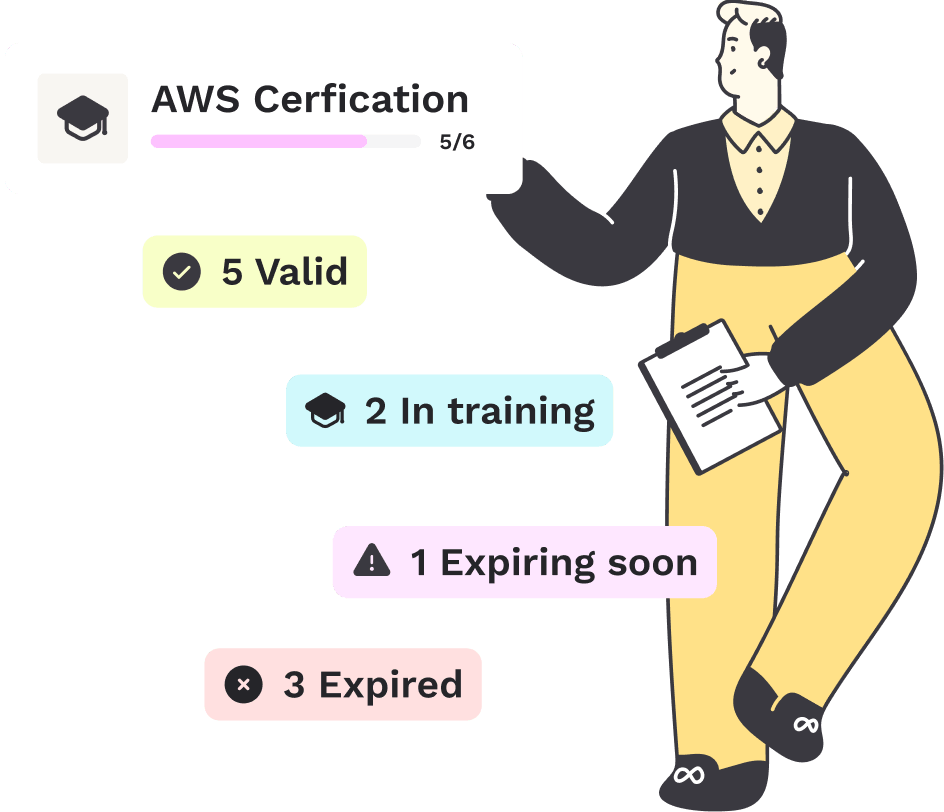
- See how many people hold a certificate
- See what expires next, before it expires
- Open a number and see the people behind it, with role and date
⭐ 4.7/5 on Capterra • 🔒 ISO 27001 certified • 🇩🇪 Hosted in Germany • 🔗 HRIS integrations














See it in action
Know who is certified, who is expiring, and who is not covered
Set the certificates that count, see where every person stands against them, and have the proof ready for whoever asks.
Explore each step:
STEP 1
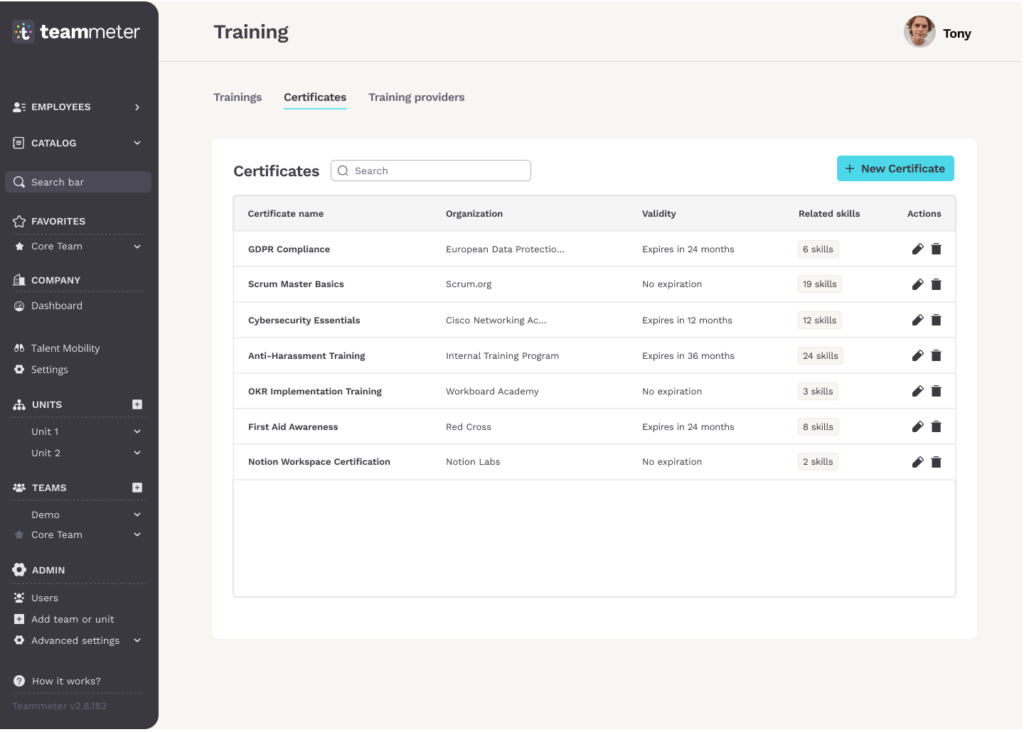
Set the certificates
Build the list of certificates your organization has to hold, with the issuer, how long each one stays valid, and the skills it proves.
Capabilities

One row per certificate, with the organization that issues it
Validity per certificate, from no expiration to a set number of months
Each certificate carries the skills it proves
STEP 2
See who is valid
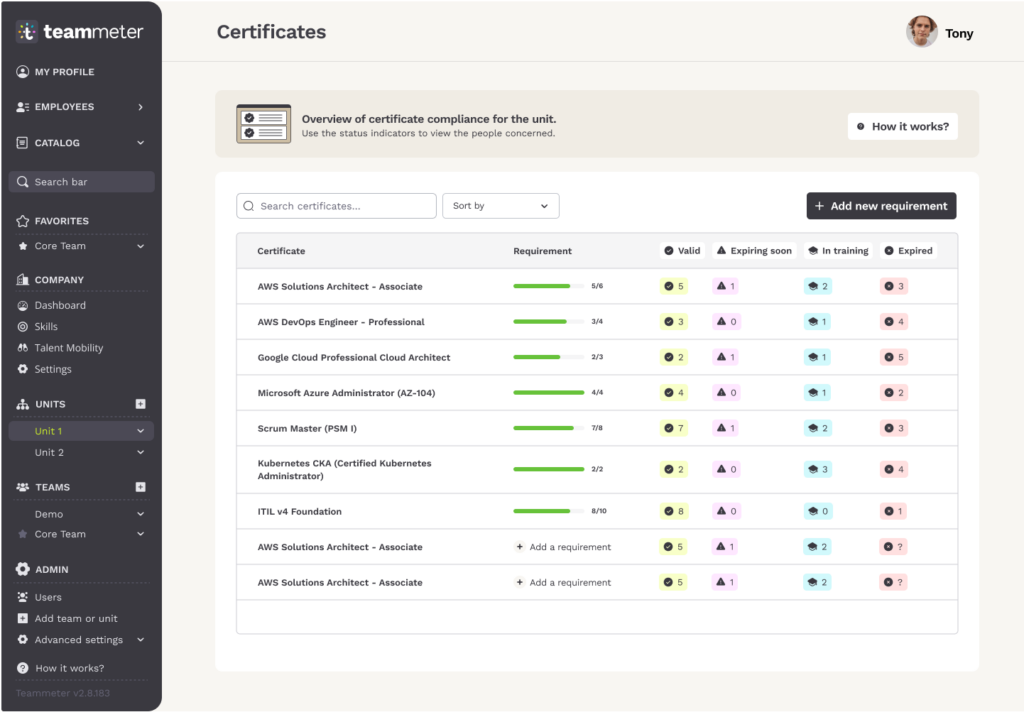
One compliance overview per unit. For every certificate you see how many people are covered right now, and how many are not.
Capabilities
Four states per certificate: valid, expiring soon, in training, expired
A requirement you set decides what counts as covered, shown as a ratio
The status numbers open the list of people behind them
STEP 3
Each person, each training
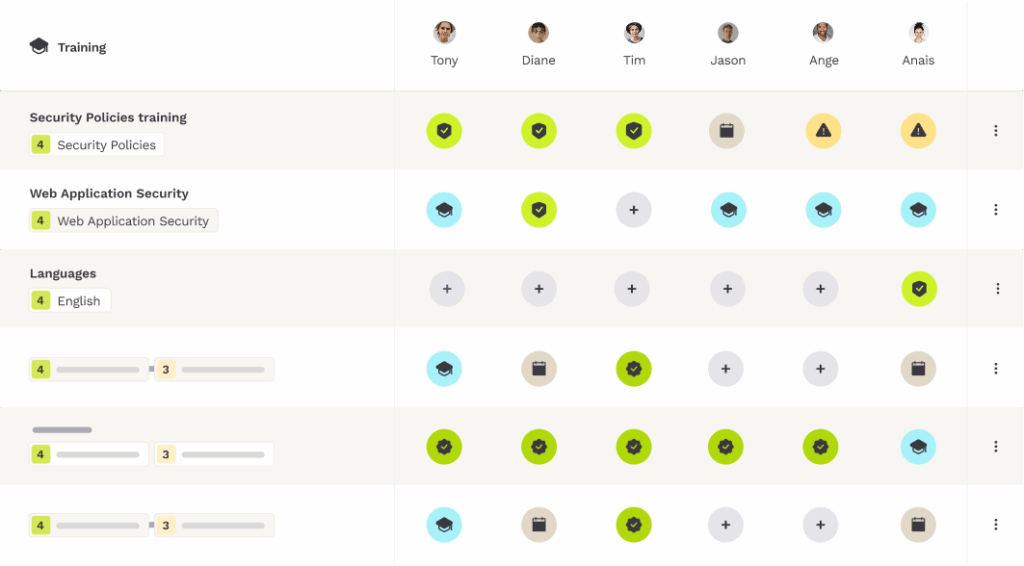
The per person view, so you can show exactly where each individual stands on each training course.
Capabilities
One column per person, one row per training course
Six states per cell: planned, ongoing, completed, completed with certificate, about to expire, expired
Mandatory trainings carry their own badge
THE SOLUTION
What the auditor asks, and where you find it
An auditor asks three things: what the criteria are, who decided, and what the record says. All three come out of the same data.

Criteria, not gut feeling
Every role carries the skills and levels it requires, written down and the same for everyone. That is what an ISO audit asks to see.

No automatic rating
A person sets every skill level, you set every requirement. AI only drafts a role from a job description.

Expired stays visible
Every certificate stays in the list with its date, also after a new one arrives. Last update shows who set a level and when.
Two ways to prove it
What proof looks like in practice

Without one place for proof

Expiry dates by hand
Someone has to remember every date, and when that person is on holiday a qualification lapses unnoticed.
Auditors want the plan
The auditor asks what is due next, not only what was done. A folder of past certificates does not answer it.
The LMS runs the course
Your learning system gets the training done, and stops there.

With one certification status

The dates watch themselves
Teammeter reminds the person and the manager weeks before a certificate expires.
The next period has a number
You set how many people must hold each certificate, so a thin spot shows up before the auditor finds it.
Validity, not just completion
The same screen shows whether the qualification behind the training is still valid, and who is short.
WHAT CUSTOMERS SAY
The overview customers were waiting for
Two customers on what changed once certificates and trainings sat in one place.
“We didn’t want an oversized system that doesn’t fit the way we work. We wanted a solution that grows with us. Teammeter helps us structure skills transparently, meet ISO requirements, and support our employees’ development.”
Miriam Aldinger
Team Lead People & Culture · CLADE
“This is exactly the view I have been waiting for since day one. It covers one of our requirements completely.”

Erik Kilian
Training & Compliance · PDV Systeme
ROLE BY ROLE
Proof that holds up, for everyone who has to produce it
An audit is never one person’s problem. HR has to produce the record, the team lead has to keep the qualifications current, and the certificate belongs to a person. All three read the same status.

HR
You answer who is certified and who is not in minutes, without collecting certificates by email first.

Managers
You see which qualifications in your team run out before the meeting, not after the reminder.

Employees
Your certificates stay in one list with their dates, and an expired one stays visible instead of disappearing.
Getting started
What is on screen after four weeks
You start with one unit and the certificates you already hold. This is what stands at the end of each week, on the 30-day free trial.

Week 1
You enter your certificates and how often each one has to be renewed. That is the work, and on this use case it is the smallest part of the setup.

Week 2
You set a requirement per certificate, how many people have to hold it. Without a requirement compliance cannot be calculated, so this is the step that switches the status on.

Week 3
Company certificates shows the unit. One row per certificate, Valid, Expiring soon, Expired. Click a number and the names are there.

Week 4
The Training Matrix shows who still has a mandatory training open and until when it should be completed.
30-day free trial · No commitment · No credit card
Who this is for
Four industries, four kinds of proof
Not built for checking suppliers or third-party sites, and not for organizations with no external proof obligation at all.

IT services and software
Show which people hold the certificates your ISO certification requires, without collecting them by email first.

Consulting and engineering
A customer asks how many certified people you have. Open the certificate and count the rows.

Manufacturing
Mandatory instruction per person and per site, with the expiry visible instead of remembered.

Energy and utilities
The auditor wants the plan for the next period, not only the past. See what is running out before the meeting.

What you get besides the software
Fast onboarding with a 30-day free trial, Customer Success and consulting on the rollout, and a setup your IT team can sign off on.

ISO 27001 certified

GDPR-compliant

Single Sign-On (SSO)

HRIS integrations
Frequently asked questions
Questions organizations ask about certification tracking
Answers on how the status is shown, where the boundary to a learning system runs, and what Teammeter does not do.
You open Company certificates in the meeting. One row per certificate, with how many people are Valid, Expiring soon and Expired. Click a number and you see who exactly, with their role and the date it expires.
No. A learning platform builds and delivers courses. Teammeter shows the status: which qualification a role requires, who holds it and when it runs out. Plenty of customers run both.
Yes. Open a skill level and Last update shows the date it was set on and the name of the person who set it.
No. You record which certificate a person holds and until when it is valid. Checking the document itself stays with you.
No. Teammeter covers the qualification of your own people. It holds no supplier or third-party data.
SEE IT YOURSELF
Walk through a certification example
Five minutes, no sign-up. Follow one mandatory training from the matrix to the certificate, and see who holds it and what expires next.

See your certificate status on a real screen.
30 minutes, one-on-one with Christophe. He runs every demo himself.