
Skill Gap Analysis
Close skill gaps before they slow you down
Teammeter compares the skills and levels of your employees with what their roles and teams require. You see the gap per employee, team and unit, and turn it into a development action in a few clicks.
 Hosted in Germany
🔗HRIS integrations














BENEFITS
Why organizations analyze their skill gaps in Teammeter
Many skill gap analyses are a one-off survey in Excel, outdated by the time the training budget is set. Teammeter measures gaps against your own requirements and keeps them current.

Built on your own requirements
Every gap is the difference between the level a role or team requires and the level an employee has. No generic benchmark.

Always up to date
When an employee, manager or HR updates a level, every view of the gap changes with it.

From employee to company
The same data shows the gap for one employee, one team, one unit and the whole company, so managers can act on their own team’s gaps.

Powered by an AI skill ontology
SkillNexus builds your skill landscape from jobs, CVs and projects and maps how skills relate, so you also see who can close a gap quickly through related skills. Explore SkillNexus
See it in action
From the requirement to the first action
A skill gap analysis needs two things: what is required and what is there. Teammeter keeps both in one place. This is how it runs, step by step.
Explore each step:
STEP 1
Set the requirements
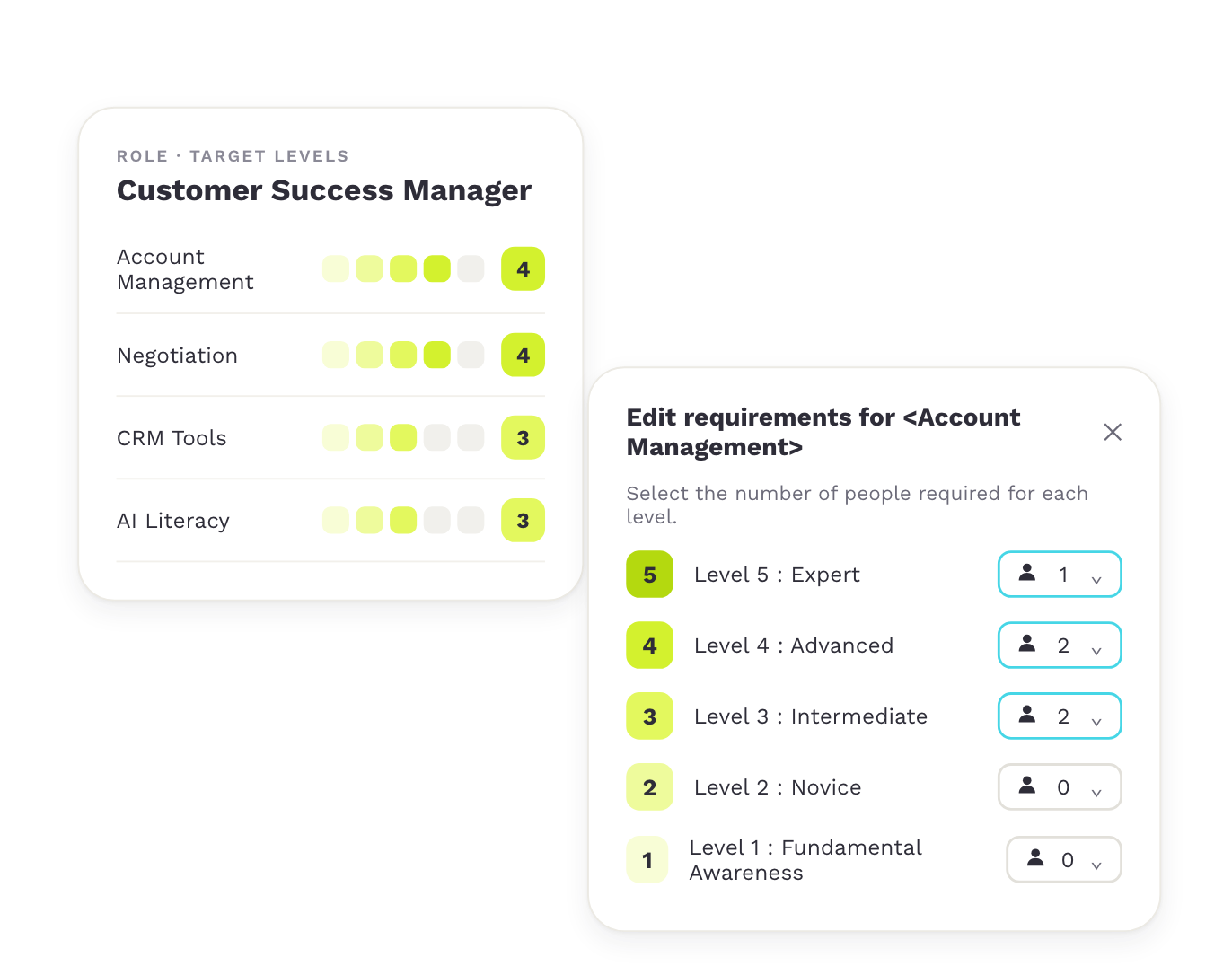
Each role lists the skills it needs and the target level for each. In the skill matrix, every team sets how many people it needs at each level of a skill.
Capabilities

Target level per skill and role
Number of people per level
Same catalog for every team
STEP 2
See the team’s gaps
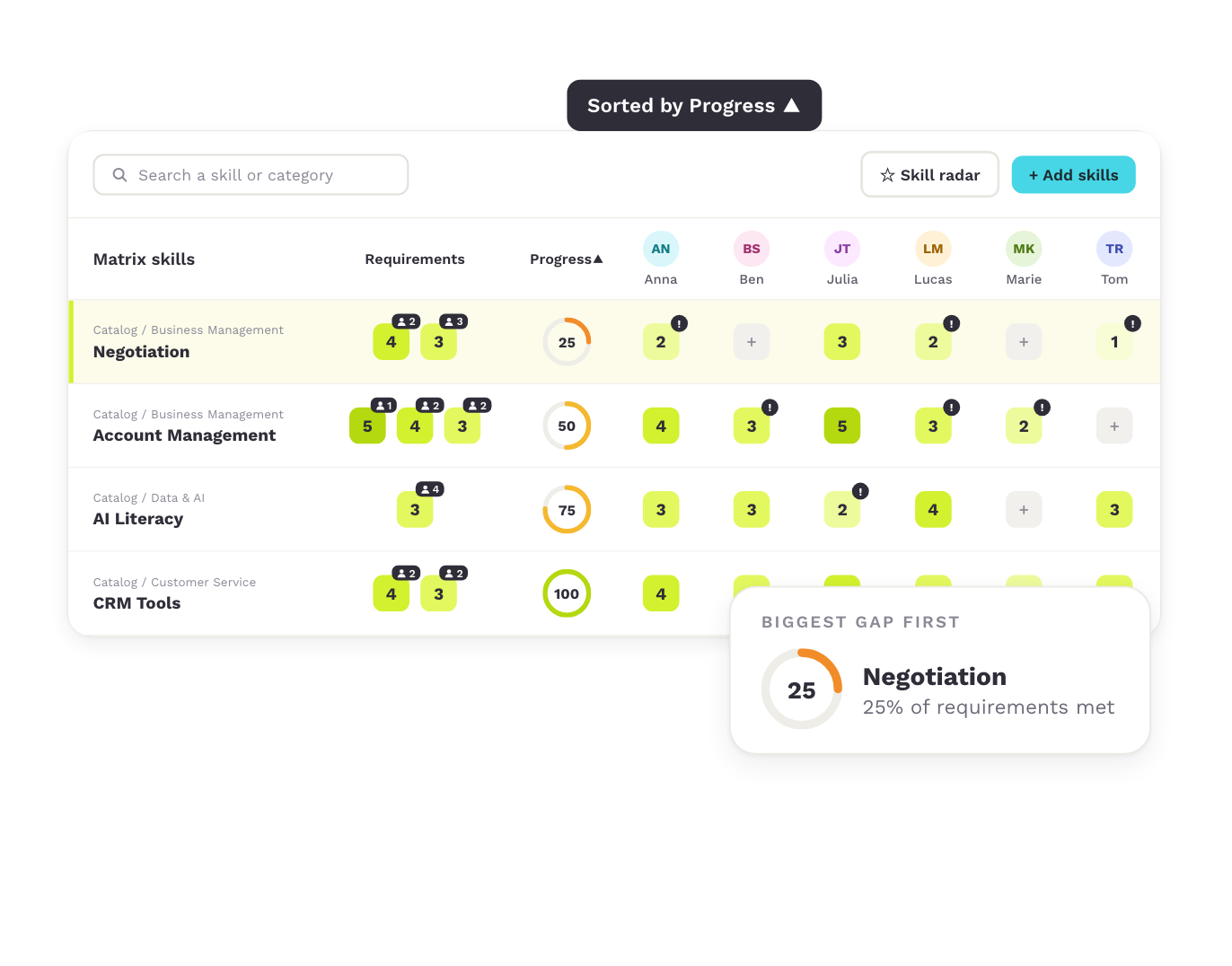
Next to each skill, “Requirements” shows what the team needs and “Progress” shows the share of requirements it meets. Sort by Progress, and the biggest gaps come first.
Capabilities
Requirements and Progress per skill
Sort by the biggest gap
Skill radar per team member
STEP 3
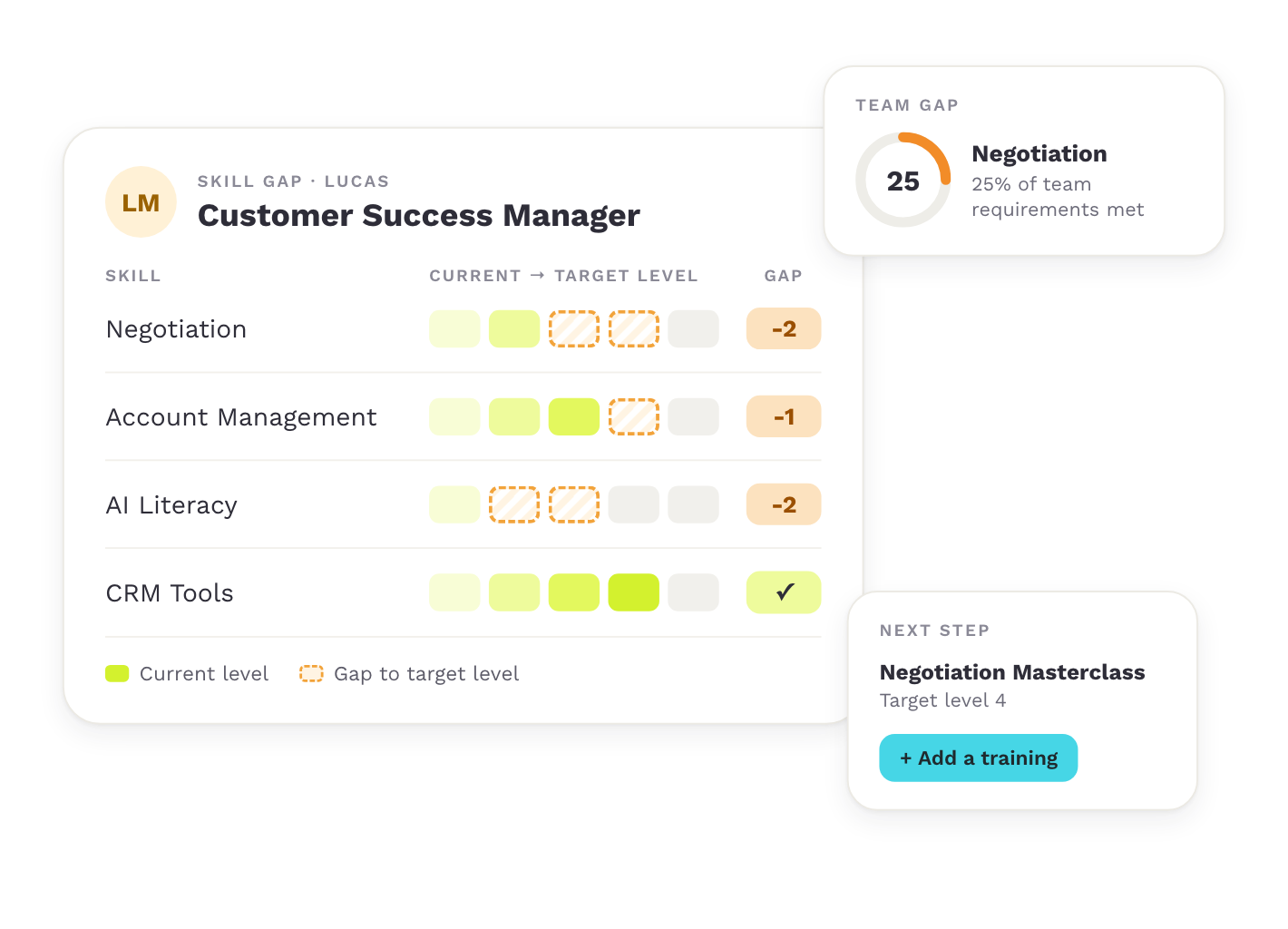
See each employee’s gaps
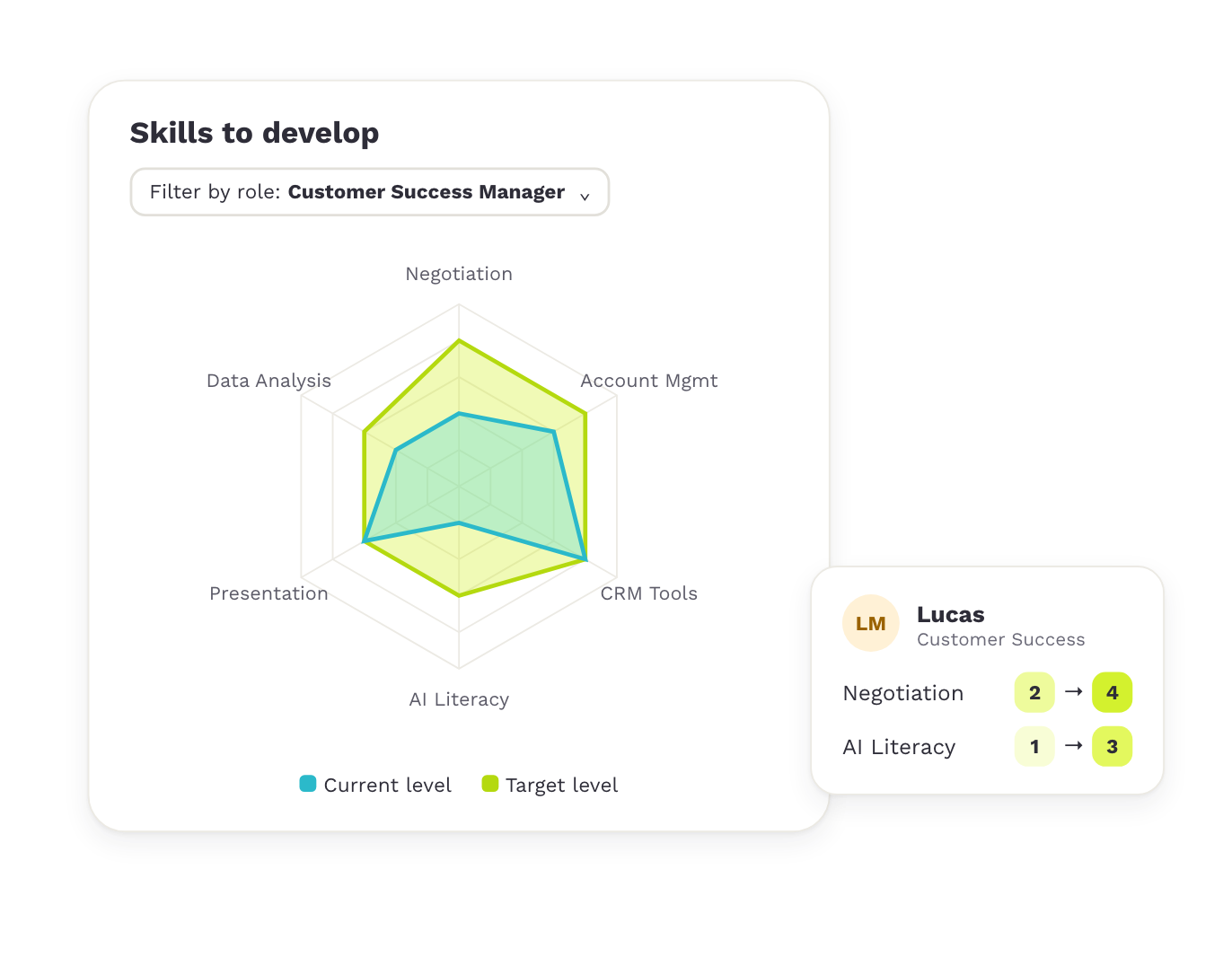
“Skills to develop” shows every skill where an employee’s current level is still below the target level. With “Filter by role”, the chart compares the profile with what one of the employee’s roles requires.
Capabilities
Current level and target level side by side
Filter by role
Skills missing from the profile included
STEP 4
Find the gaps that matter most
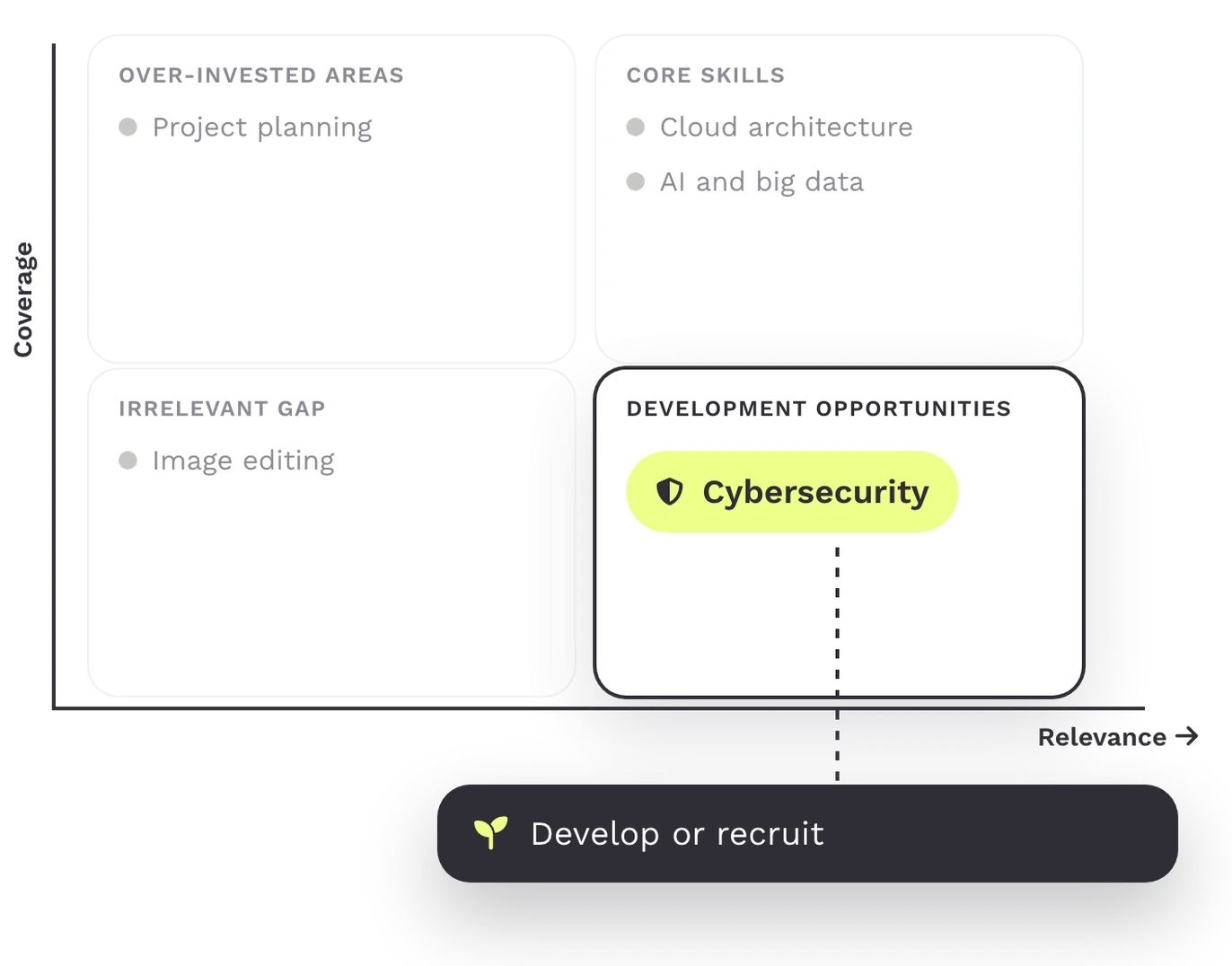
For a unit, the Growth opportunities chart sets each skill’s relevance against its coverage. Skills with high relevance and low coverage are where learning creates the most value.
Capabilities
Relevance and coverage per skill
Core strengths and overinvested areas
One view per unit
STEP 5
Turn the gap into an action
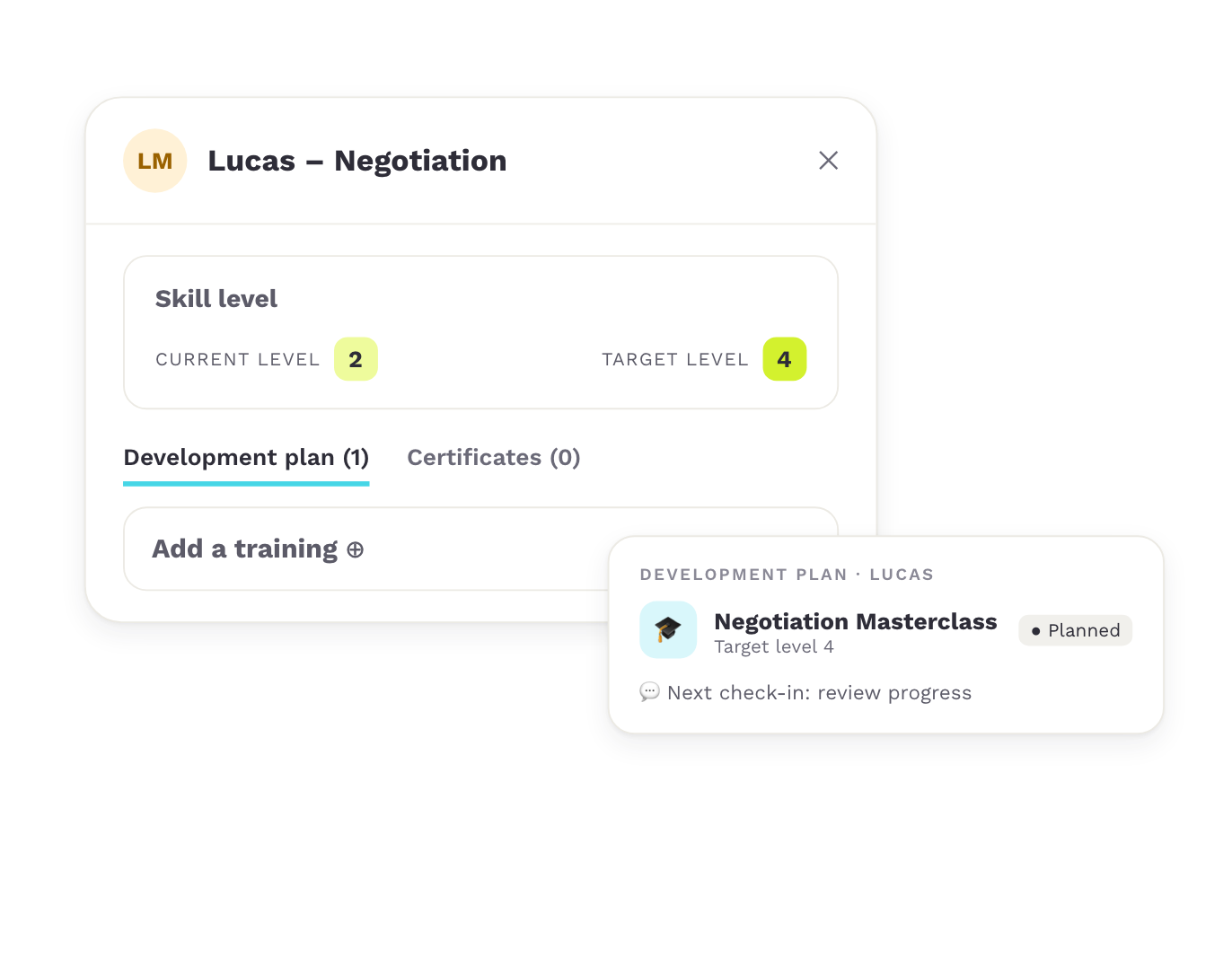
Click a cell in the skill matrix, adjust the current or target level, and add a training. It lands in the employee’s development plan, ready for the next check-in.
Capabilities
Add a training from the matrix
Development plan per employee
Follow-up in check-ins
Planning
From the gap to the decision: develop, move or hire
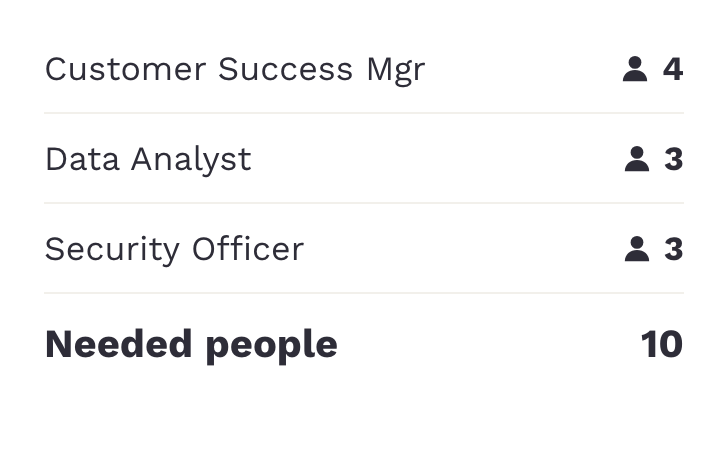
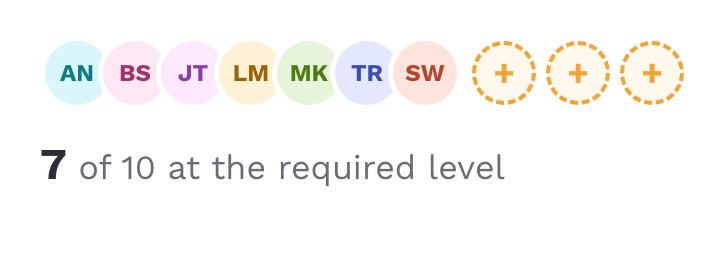
In planning, you see per role how many people you need, how many you have and how big the gap is. Company skills show where a missing skill already sits elsewhere in the organization.
For each gap, you decide whether to develop someone, move someone internally or hire. You export the data to Excel or CSV for your budget planning.
Needed
Available
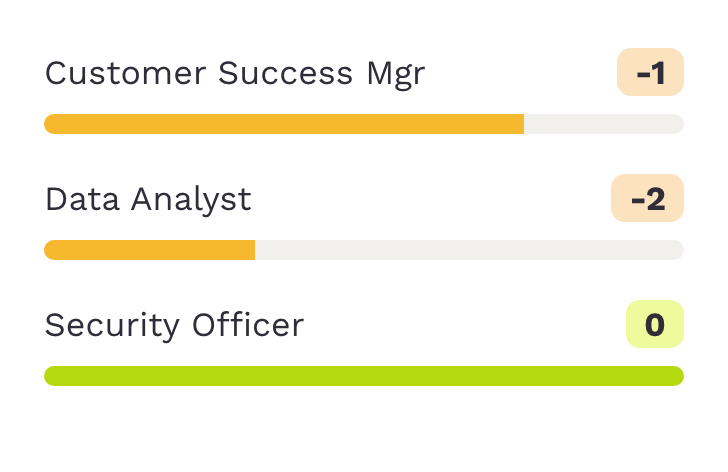
Gap
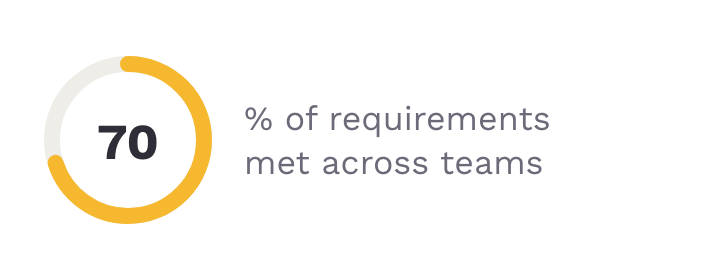
Progress
USE CASES
What organizations use skill gap analysis for
A skill gap analysis is the starting point for every decision about training, hiring and staffing.
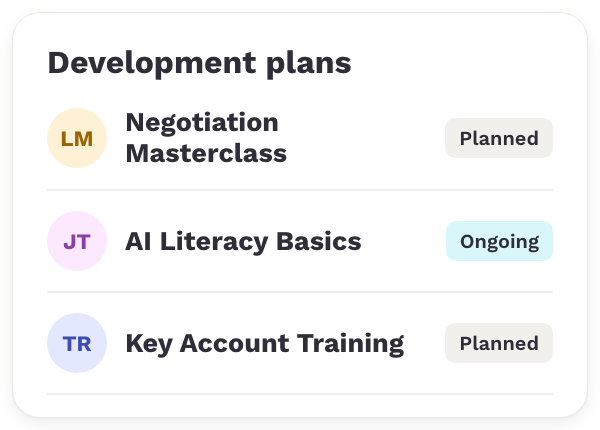

Upskilling & reskilling
Training budget goes to the skills your roles need most, with the people you already have.
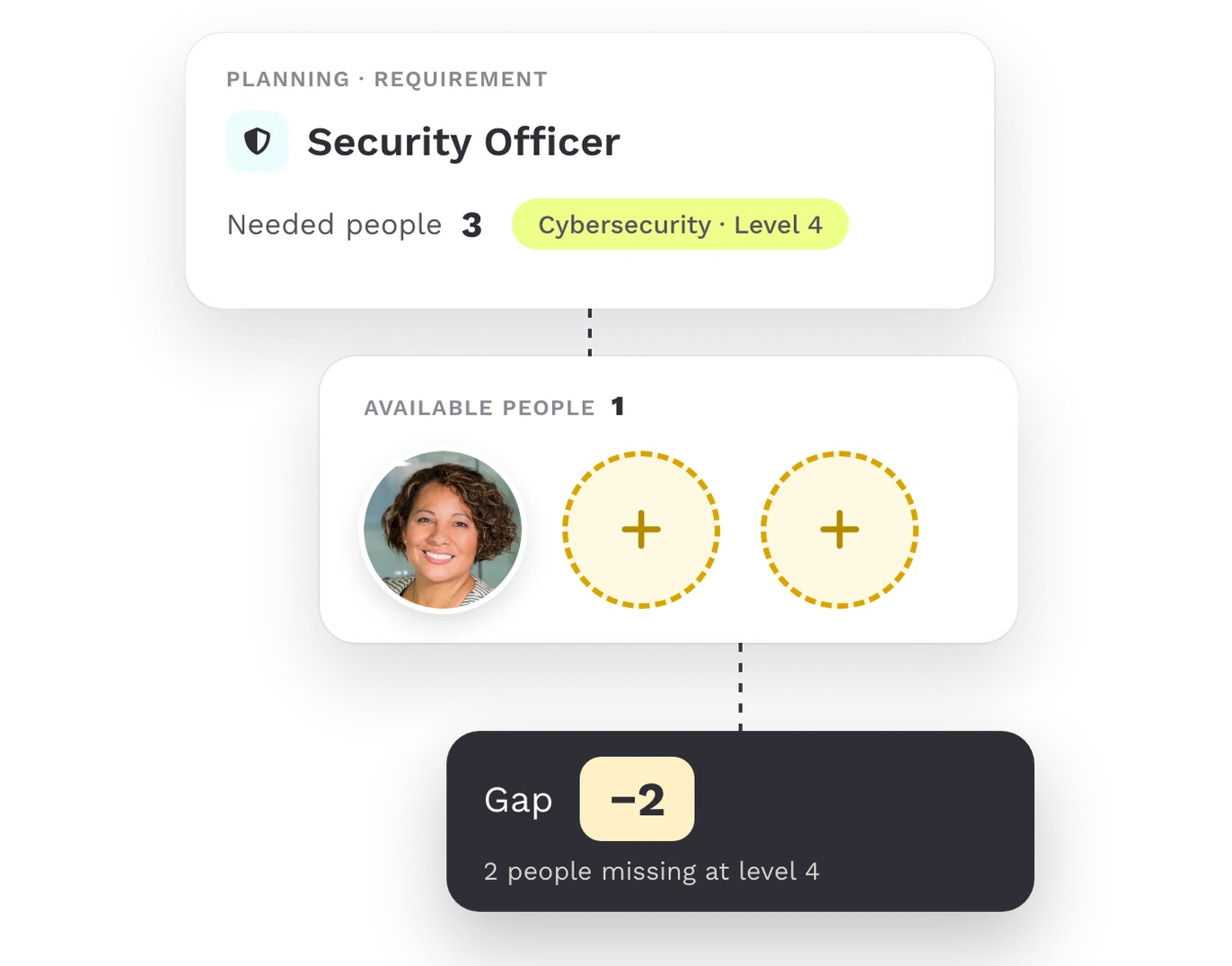

Workforce planning
Per role, you see demand, supply and gap, and decide where to develop, move or hire.
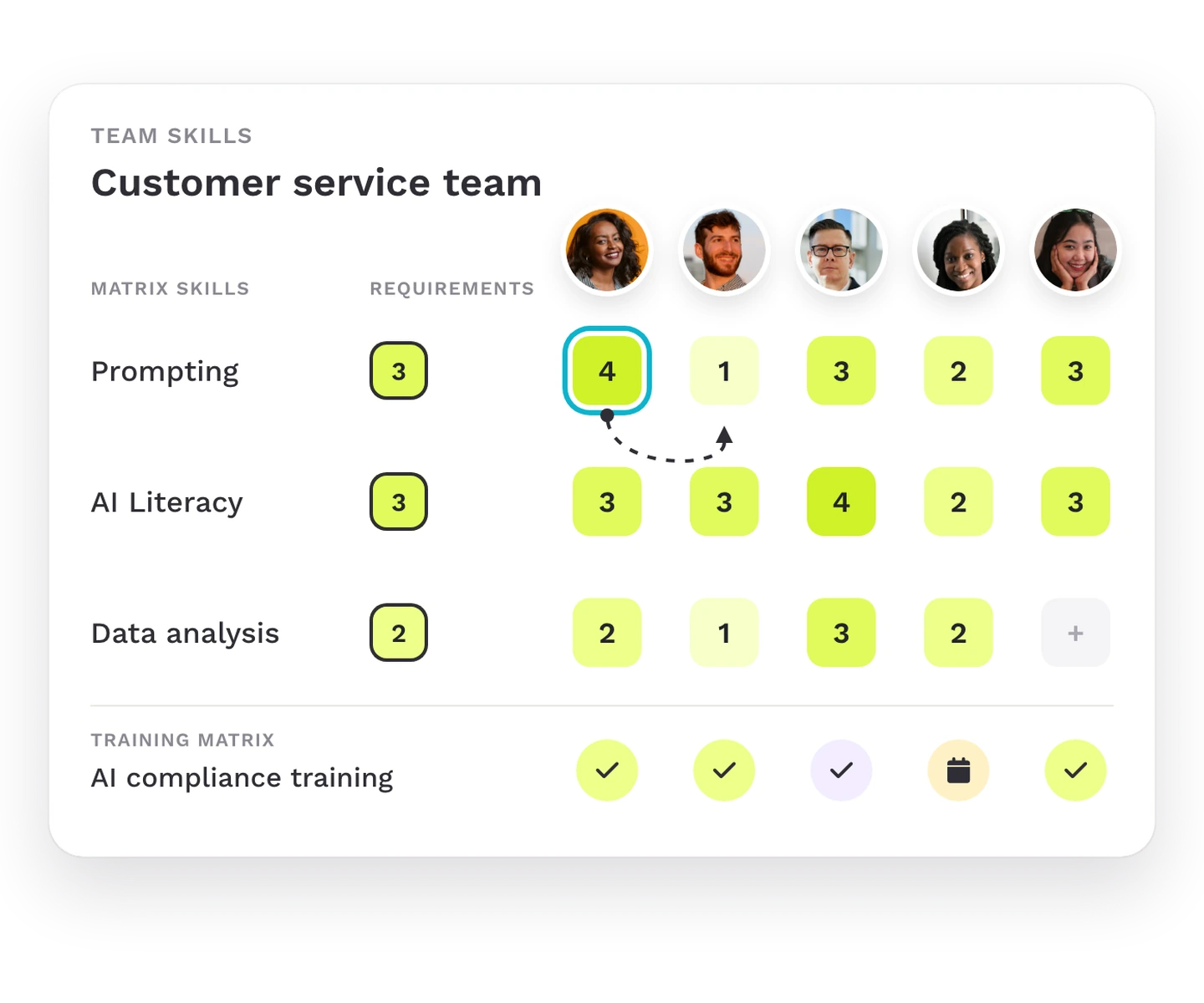

AI workforce readiness
Each team sees in its skill matrix where AI skills are missing and closes the gaps with focus.
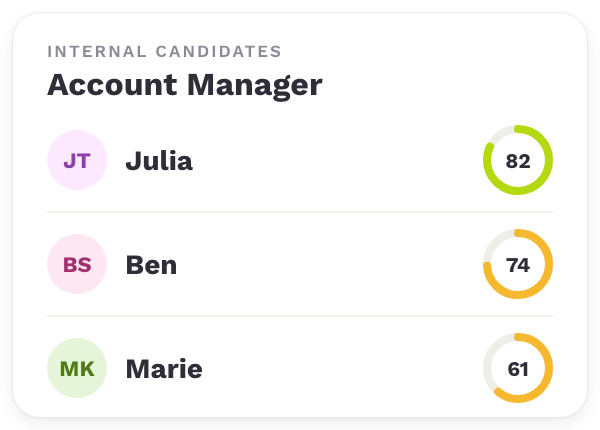

Internal mobility
Each employee sees the gap to a role, and you find internal candidates who are close to it.
TRUSTED BY HR TEAMS
Customers who know where their gaps are
How organizations use Teammeter to find missing skills and plan around them.
“We needed to know in which department we didn’t have enough talent. That’s why we set up the matrix in the first place.”

ABV Development
Customer
“For workforce planning, you can identify the skill gaps. That’s a really, really good feature.”

Michel
Braintower
Frequently asked questions
Questions about analyzing skill gaps
A skill gap analysis compares the skills your organization needs with the skills your employees have, and shows where the difference is.
These are the most common questions teams ask when they evaluate Teammeter for it.
A skill gap analysis compares the skills and levels a role or team requires with the skills and levels employees have. The difference is the skill gap. It shows where training, internal moves or hiring are needed.
For an employee, the gap is the target level minus the current level, for every skill where the current level is lower. For a team, Teammeter checks how many people reach each required level and shows the share of requirements met. For a unit, it combines both into relevance and coverage per skill.
You define them. Roles list their skills with a target level, and each team sets how many people it needs per level. Teammeter’s AI suggests skills that fit a role, and you decide.
From the skill matrix or the skill profile, you add a training to the employee’s development plan. Managers and employees review it in their check-ins, and when the level rises, the gap closes in every view.
Yes. Teammeter is ISO 27001 certified, GDPR compliant and hosted in Germany. Employees, their managers and HR see the gaps according to their permissions.
Book a demo
See how Teammeter analyzes skill gaps in your organization
Discover how Teammeter compares your requirements with your employees’ skills and shows the gap per employee, team and unit. In a short demo, we’ll show how it works with sample roles and teams.
- ISO 27001 certified
- 4.7/5 on Capterra
- GDPR-compliant
Meet your hosts
Get a personalized walkthrough based on your roles and development goals.

Sonali Suriya
Business Development Manager

Konrad Kraft
Go-To-Market Manager
Book your 30-min demo
Experience a personalized product demo and get all your questions answered by our experts.