
You can export your LinkedIn profile as a PDF and upload it to Teammeter to pre-fill your Skill Profile faster.
Teammeter uses your uploaded CV to help extract information such as:
- Skills and expertise
- Work experience
- Certifications
- Education
- Other profile details that may enrich your profile
We recommend reviewing imported information after upload to ensure everything is accurate and complete.
Before you start
Make sure that:
- You are using LinkedIn on desktop (PDF export is not available in the LinkedIn mobile app).
- Your LinkedIn profile is complete and up to date.
LinkedIn’s Save to PDF feature may not be available for all accounts and can behave differently depending on the profile language.
Step 1: Open your LinkedIn profile
Log in to LinkedIn.
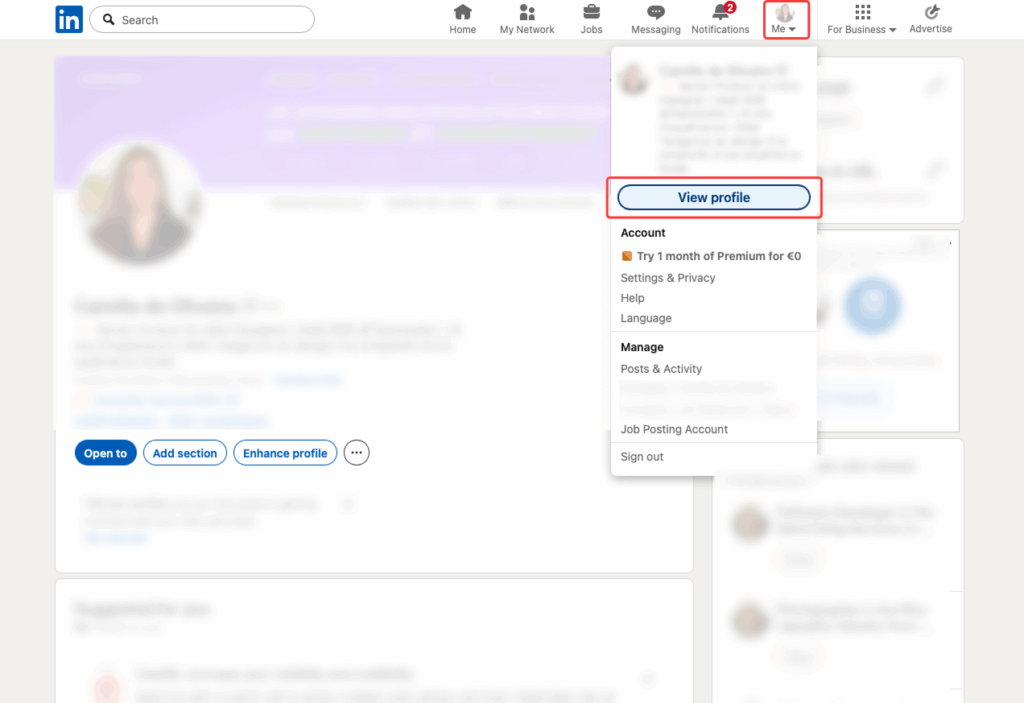
Click Me in the top navigation, then select View Profile.
Step 2: Open the profile options
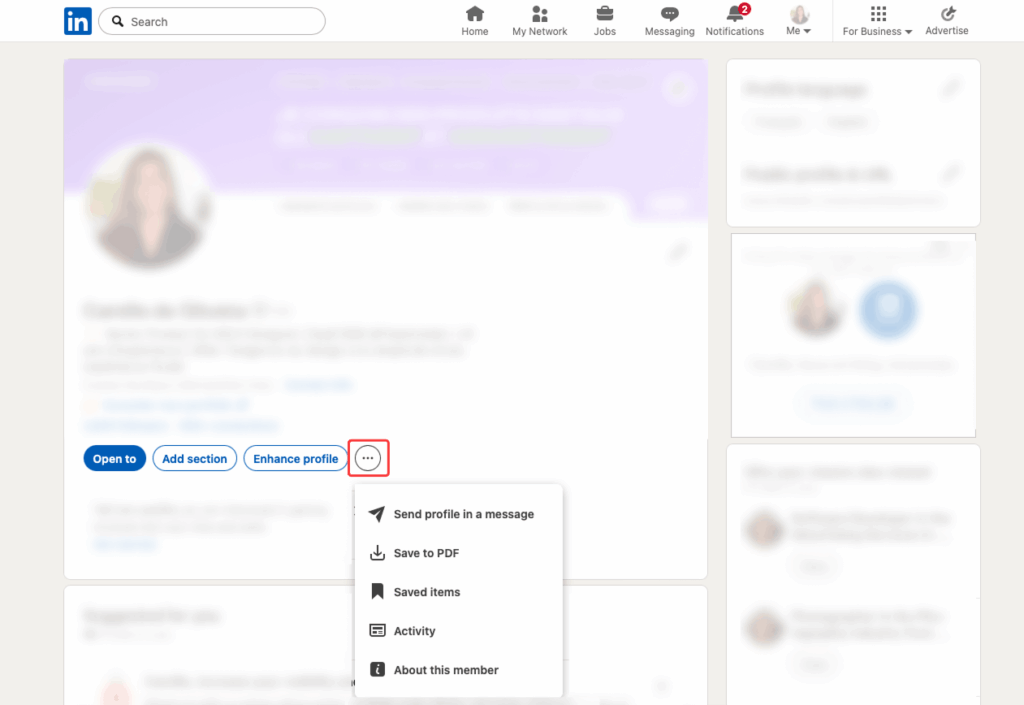
In the introduction section of your profile, click More or Resources.
Step 3: Export your profile as a PDF
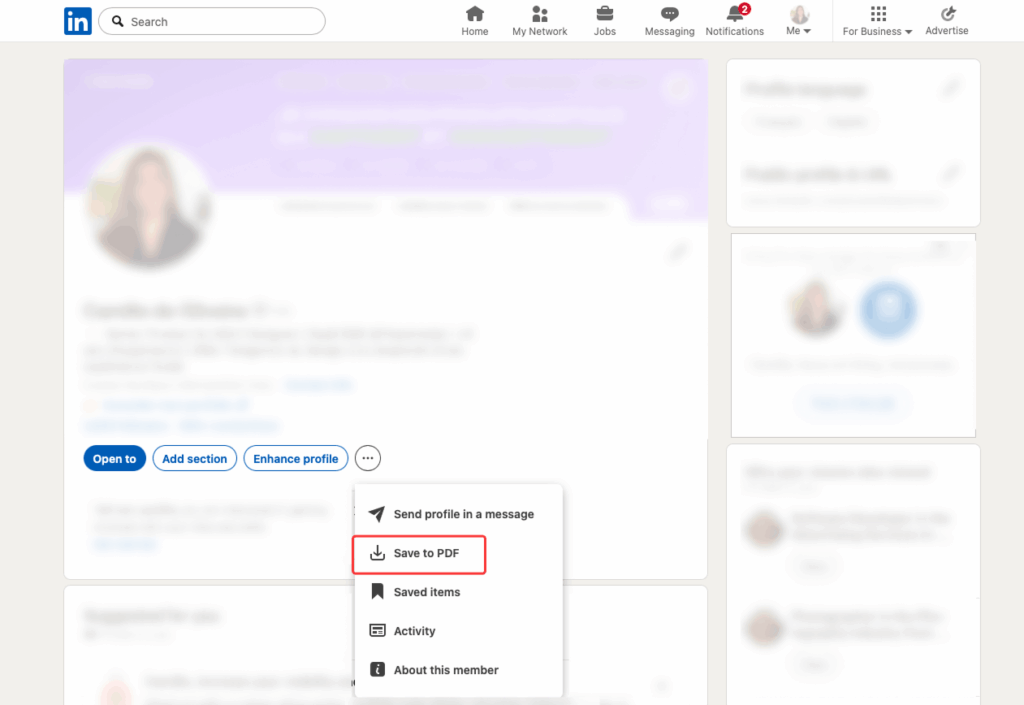
Select Save to PDF.
LinkedIn will generate and download your profile as a PDF file.
Step 4: Upload your PDF to Teammeter
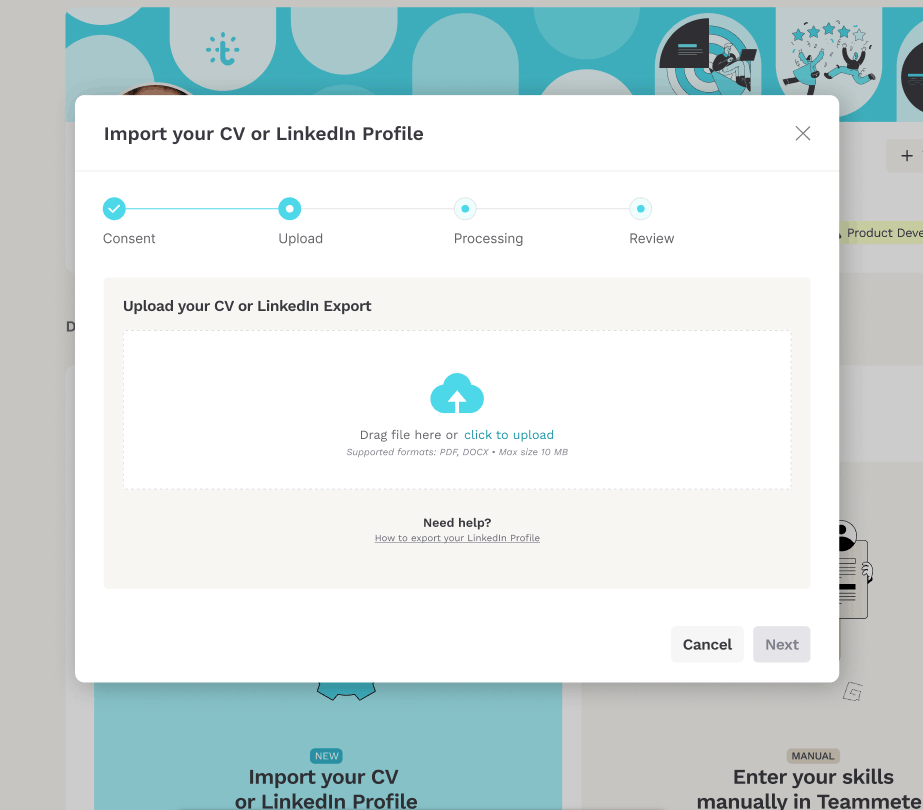
Return to Teammeter and upload your PDF during profile creation.
Teammeter will analyze your CV and help pre-fill your profile information.
Review your imported profile
After import:
- Verify extracted skills
- Check work experiences and dates
- Confirm imported certifications
- Complete any missing information
This helps keep your profile accurate and ready to use.
Notes
- LinkedIn limits profile PDF exports to 200 downloads per month.
- PDF export is managed directly by LinkedIn.
