Strategic Workforce Planning
Qualify your workforce. Invest budget where it counts. Reach your business goals.
For 63% of employers, skill gaps are the biggest barrier to their transformation. With Teammeter you know whether your workforce is qualified for upcoming business challenges.
- Gaps per role as a number, for every unit and site
- Training and hiring budget where it works
- Decisions before the shortage hits
⭐ 4.7/5 on Capterra • 🔒 ISO 27001 certified • 🇩🇪 Hosted in Germany • 🔗 HRIS integrations












See it in action
Match what your goals need with what you have
Workforce planning means knowing early which skills your goals are missing and steering budget accordingly.
Explore each step:
STEP 1
Make the right decisions about hiring, training or allocation
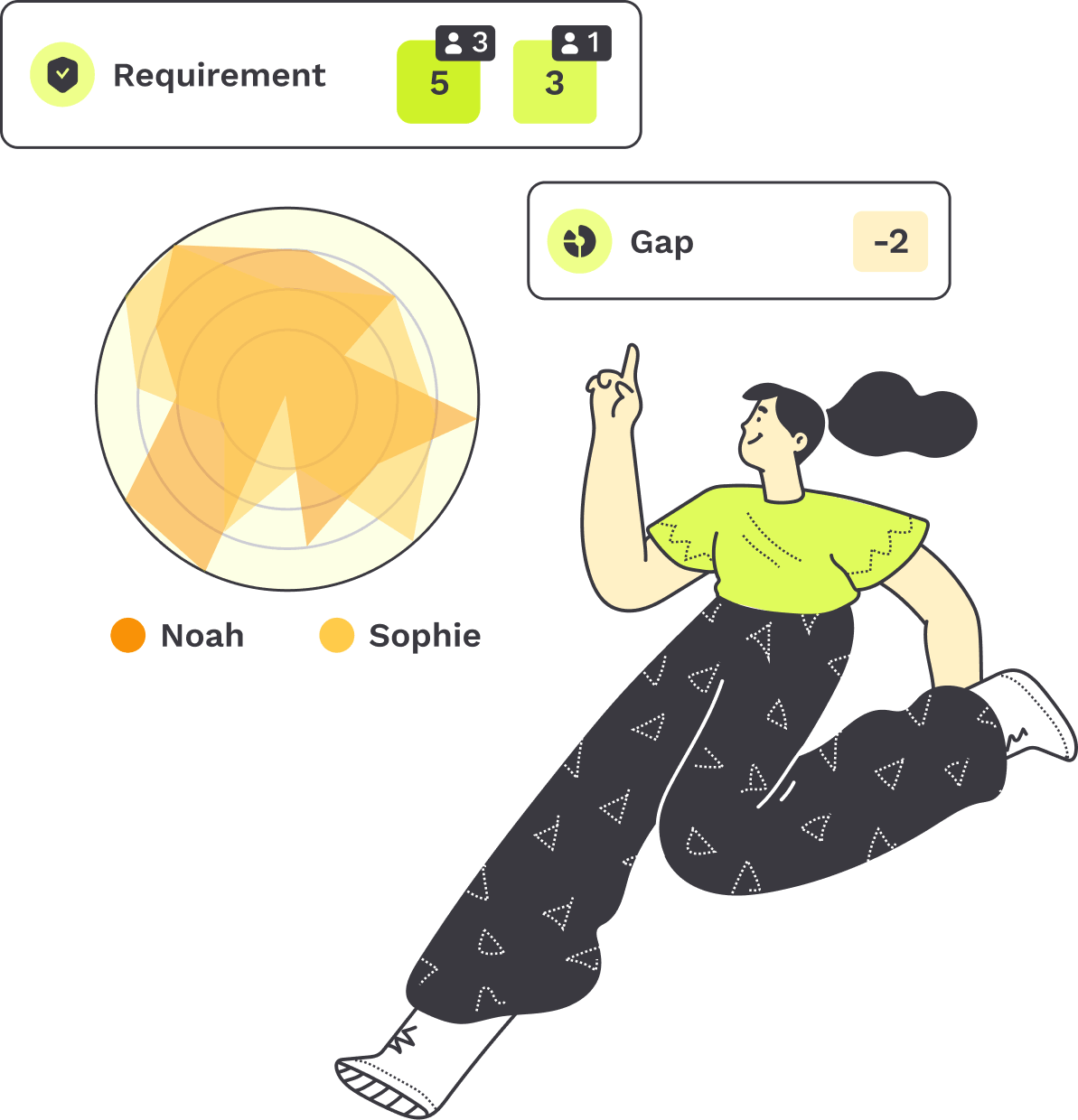
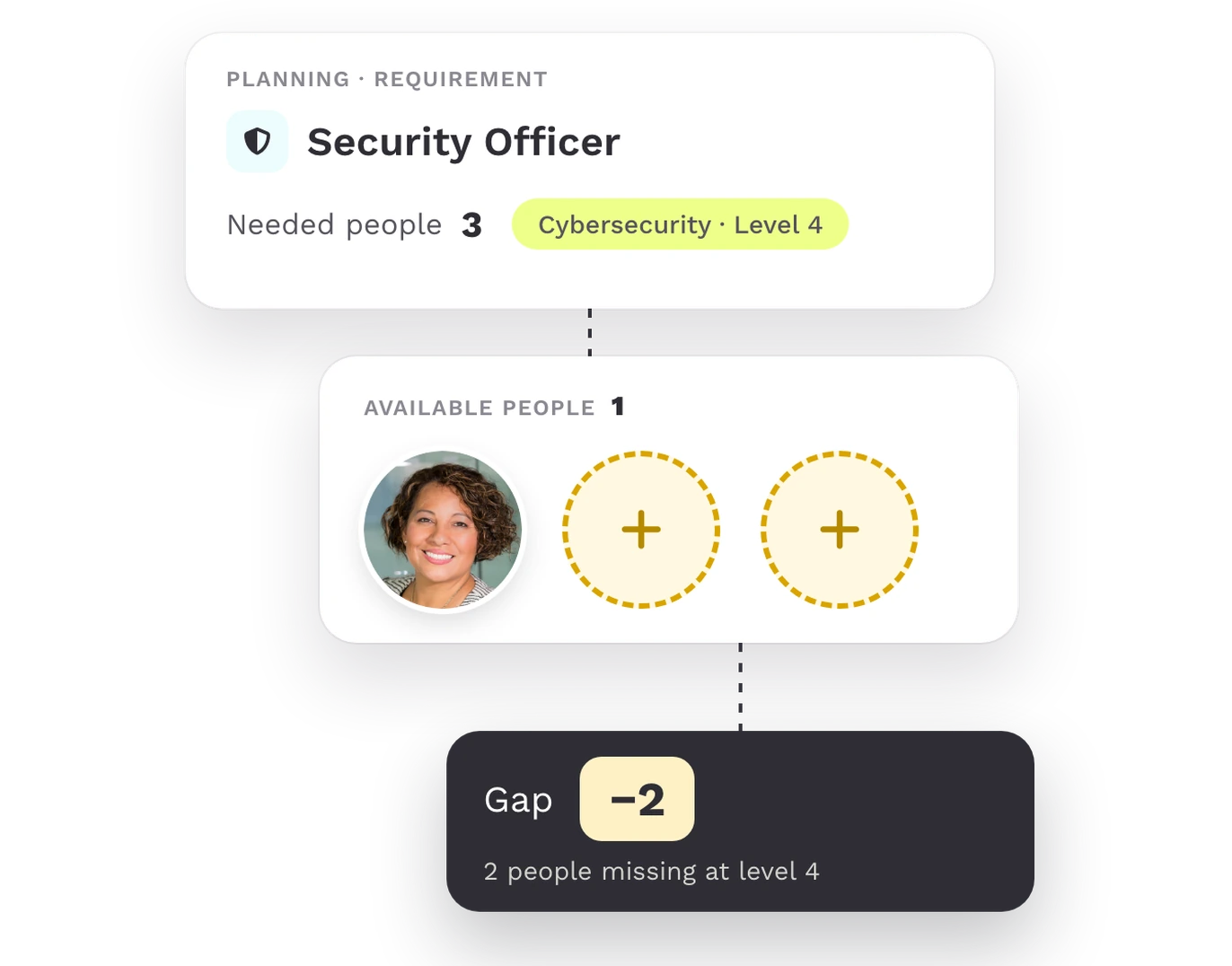
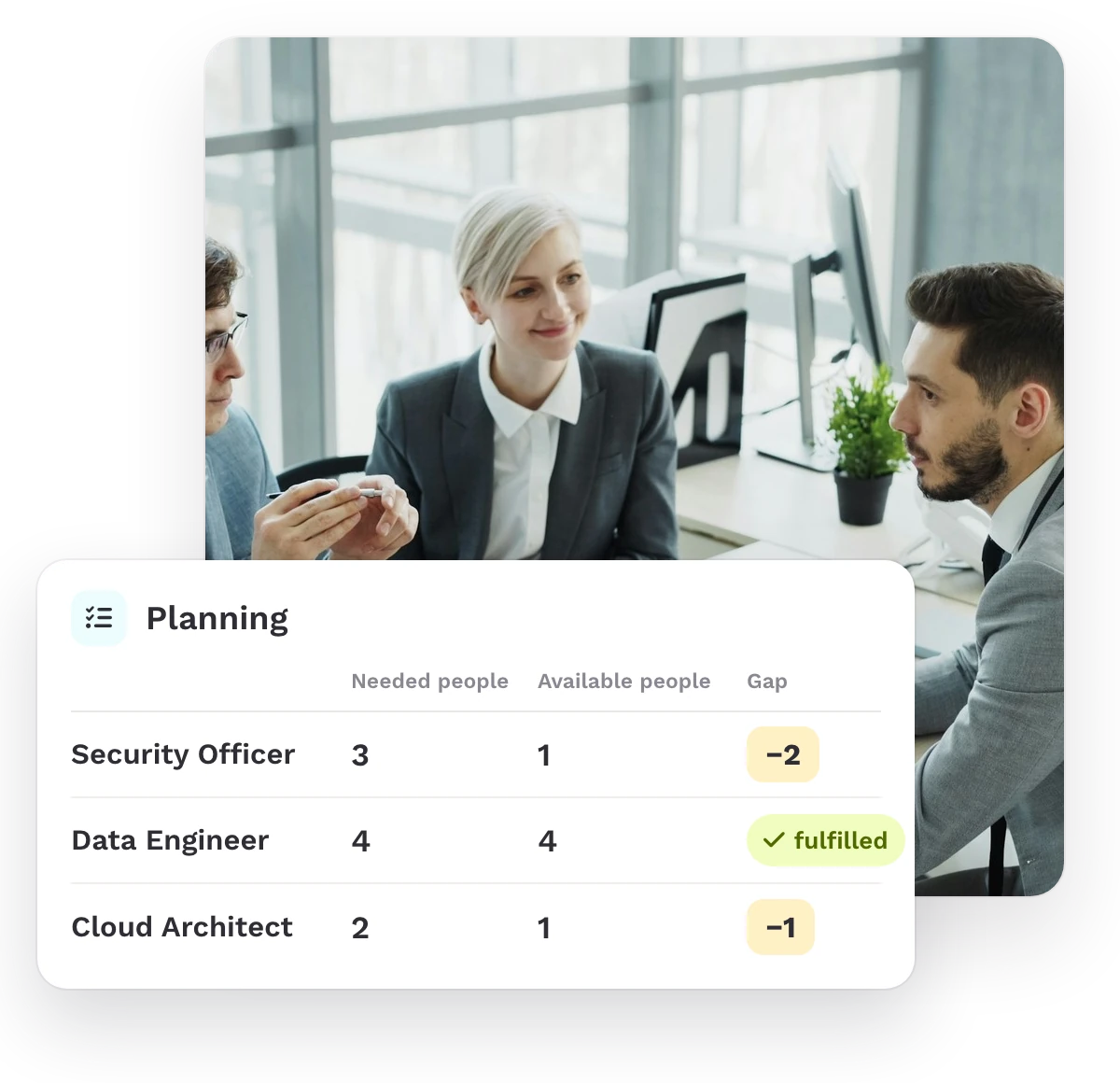
Planning sets the people each role needs against your existing workforce and shows the gap as a number.

Plan by role or skill set
Needed, available and the gap in every row
One click shows the people who fit
STEP 2
Fewer skill gaps
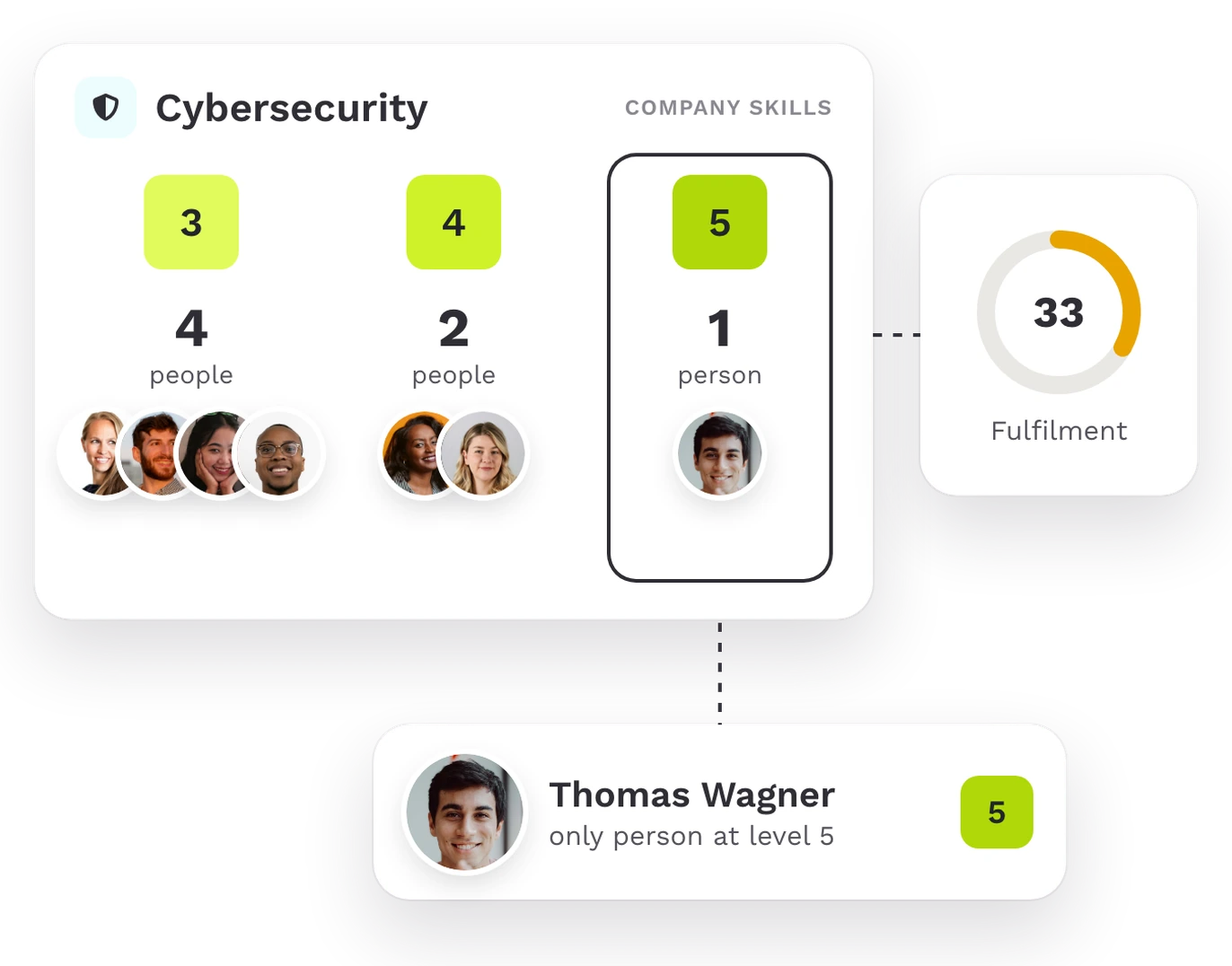
Company Skills and the skill matrix show how many people hold each skill at which level.
People per skill and level
Fulfilment per skill
Company view and team skill matrix
STEP 3
Ensure your staff is qualified for upcoming business challenges
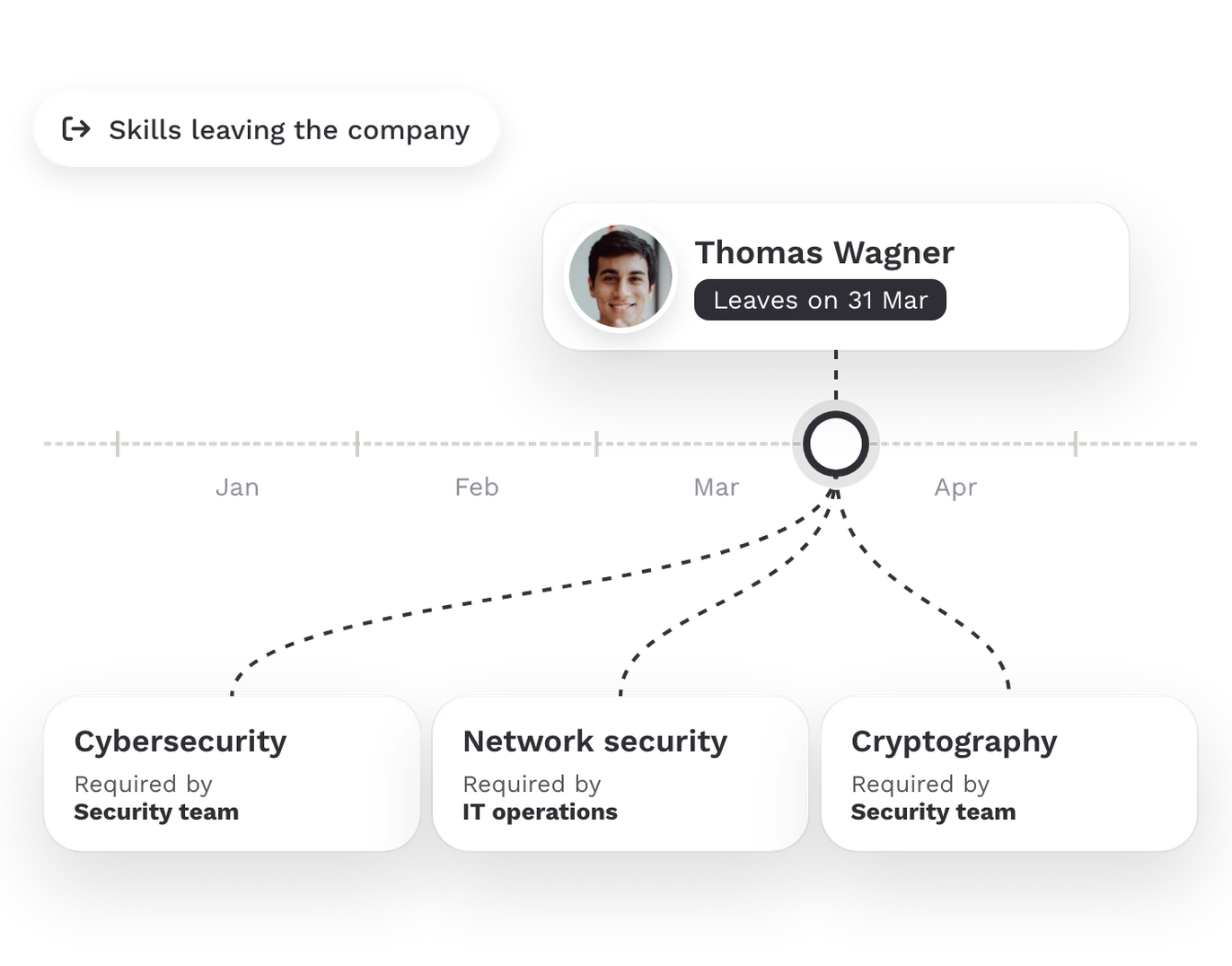
Skill Flow shows which skills leave and join, when, and which teams need them.
Skills joining and leaving over a period you set
Per skill, the date and the teams that require it
Leaving dates from your HRIS
STEP 4
Allocate training and hiring budget better
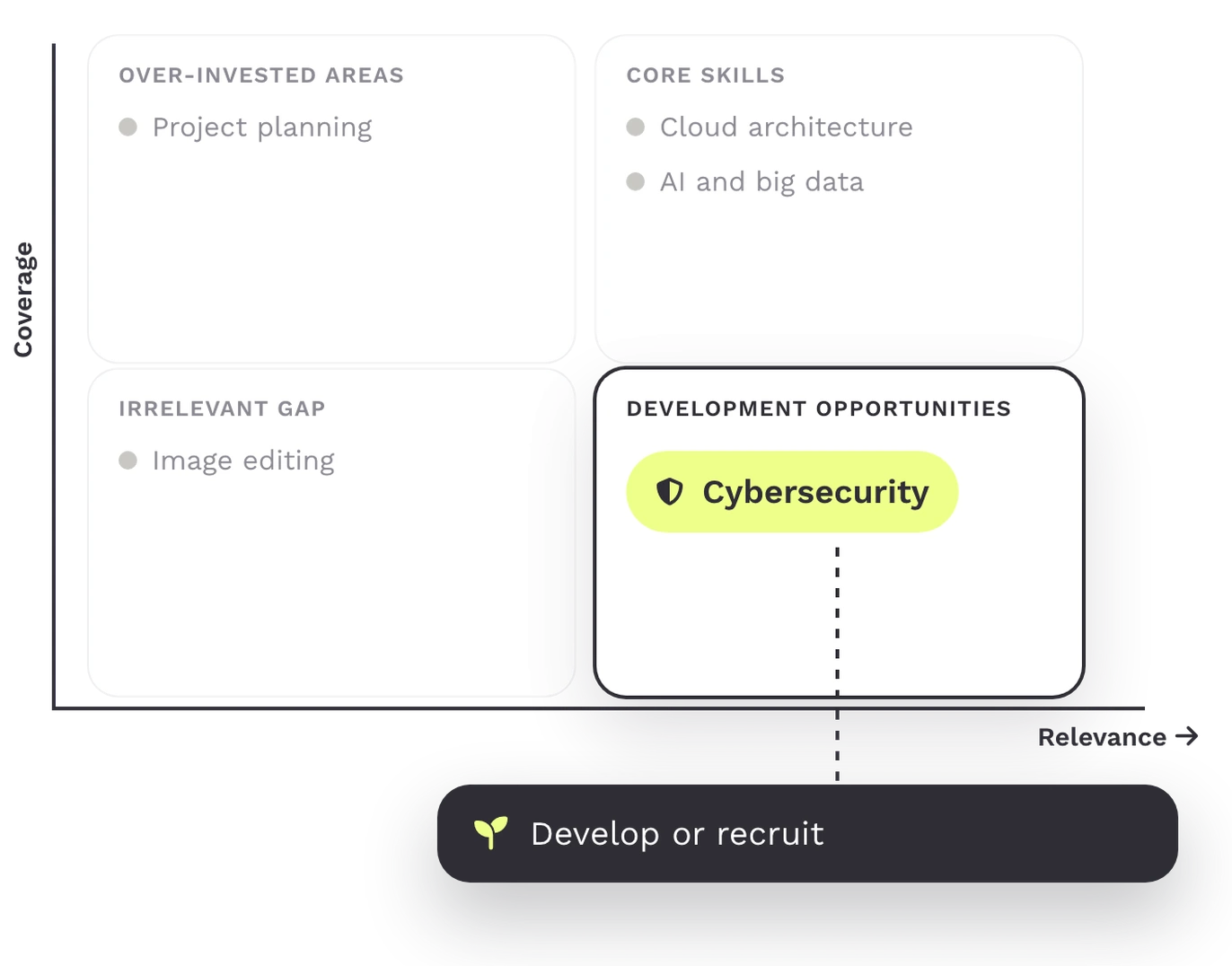
Growth Opportunities shows which critical skills to develop or recruit.
Relevance from the people and levels you need
Coverage from the size of the gaps
Filter by skill set
Align Workforce Planning and Business Goals across the whole organization.
Business goals are set for the whole company. The skills to reach them sit in every unit and site. Teammeter sets what each goal needs against your existing workforce, so HR and unit leaders plan from the same numbers.
- Demand per goal: each unit enters the people and levels its next goals need, per role or skill set.
- One view across units: Company Skills shows how many people hold each skill at which level, across all teams.
- Budget where the gap is: Growth Opportunities shows which critical skills to develop or recruit, so training and hiring budget follows your goals.
THE SOLUTION
What your company gains
When demand and supply are measured in skills, budget follows your goals.

Budget that pays off
Training and hiring budget goes where your goals need skills.

Roles filled sooner
Demand is clear before a position opens.

Less market exposure
You close gaps from your existing workforce more often when talent gets scarce.

Boardroom ready
You show which roles carry the strategy and where they are thinly staffed.
TRUSTED BY HR TEAMS
Two teams on how they plan their skill demand
“We can see where our focus lies and where we want to develop it.”

Grouplink
HR & People
“We want to use it for workforce planning, because that is where you can identify the skill gaps.”

Michel Wagner
Teamlead Developer · Braintower
What strong workforce planning delivers
Companies with strong workforce planning fill roles faster and report better results.
38 days
is how long companies with strong strategic workforce planning take on average to fill critical roles. With weak planning it is 55 days.
Twice as likely
to report better financial results are organizations that deploy people and skills deliberately where the work needs them.
Only 39%
of companies rate themselves as capable in strategic workforce planning today, while 80% see it as important for the years ahead.
ROLE BY ROLE
One plan for HR leaders, unit leaders and executives

HR leaders
Justify training and hiring budget with a gap you can show as a number.

Unit leaders
Plan your unit’s demand for the next goals and see what is missing.

Leadership
Know whether the organization has the skills for the strategy of the coming years.
Getting started
From the first demand to the first decision
You start with one unit and scale once the first gap stands as a number.

Week 1
Import your employee data.

Week 2
Define the expectations per role.

Week 3
Employees complete and review their skill profile.
Week 4
Set the future skills.

Week 5
Identify skill gaps and decide on first actions.
Who this is for
Four industries, four versions of the same question
For HR leaders, unit leaders and executives in organizations with 200 or more employees that plan their skills for the years ahead.

IT and software
Plan the skills for the next client topics before the requests come in.

Consulting and engineering
Build expertise for new consulting fields on purpose.

Manufacturing
Plan the qualifications for new equipment and more automation.

Retail and consumer brands
Prepare teams for new channels and processes in time.

What you get besides the software
Fast onboarding with a 30-day free trial, Customer Success and consulting on the rollout, and a setup your IT team can sign off on.

ISO 27001 certified

GDPR-compliant

Single Sign-On (SSO)

HRIS integrations
Frequently asked questions
Questions about workforce planning
Yes. Employee data comes from your HR system, for example Personio or SAP. Skill profiles are built from imported CVs.
Yes. We import your existing lists at the start, and you can export the data to Excel at any time.
Teammeter is ISO 27001 certified, GDPR compliant and hosted in Germany, with single sign-on and HRIS integrations. The details are in the section above.
Book a demo
See your plan on a real screen
In 30 minutes you see how your employee data becomes the gap per role.
- ISO 27001 certified
- 4.7/5 on Capterra
- GDPR-compliant
Meet your host
Get a personalized walkthrough based on your skills, roles, and workforce planning needs.

Konrad Kraft
Go-To-Market Manager
Book your 30-min demo
Experience a personalized product demo and get all your questions answered by our experts.